01
Always in view
Two numbers sit in your menu bar: your session and your week. They turn from green to orange at 50%, and to red at 80%. No clicking needed.

 ClawdBar for Mac
See how much of your 5-hour session and 7-day weekly limits you've used, right in your menu bar. No more surprises mid-task.
$ brew tap RossNicholson/tap
$ brew trust --cask rossnicholson/tap/clawdbar
$ brew install --cask clawdbar
Homebrew 7 asks you to trust casks from other taps. On older versions, skip the brew trust line.
For Mac · macOS 13 or later · Needs Claude Code on a Pro or Max plan · Open source
What it does
Claude Code's limits reset on a rolling 5-hour window and a 7-day week. ClawdBar keeps both in view, so you know when to push on and when to pace yourself.
01
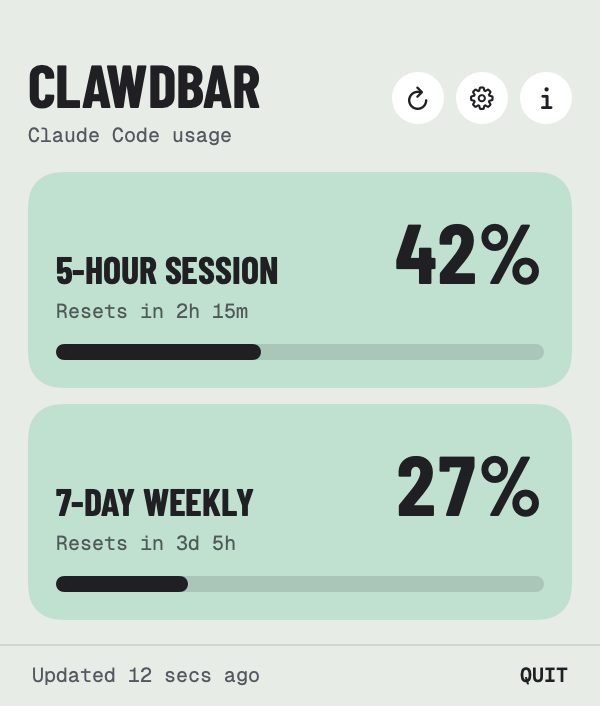
Two numbers sit in your menu bar: your session and your week. They turn from green to orange at 50%, and to red at 80%. No clicking needed.
02
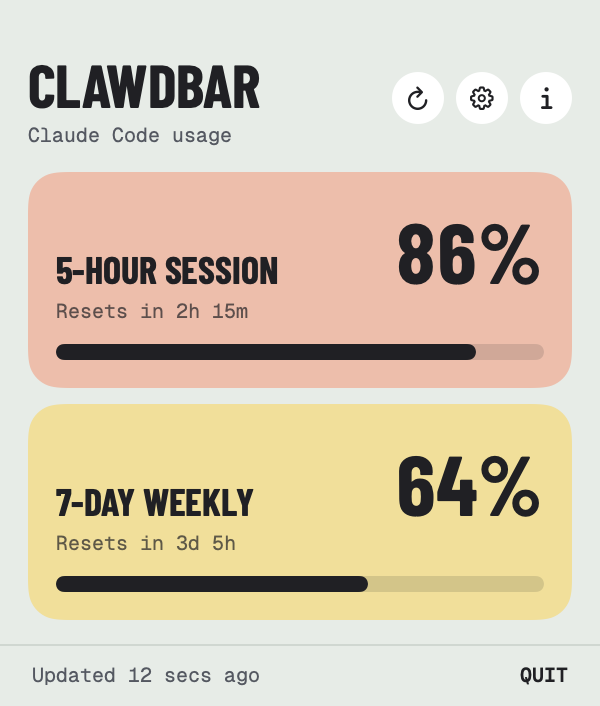
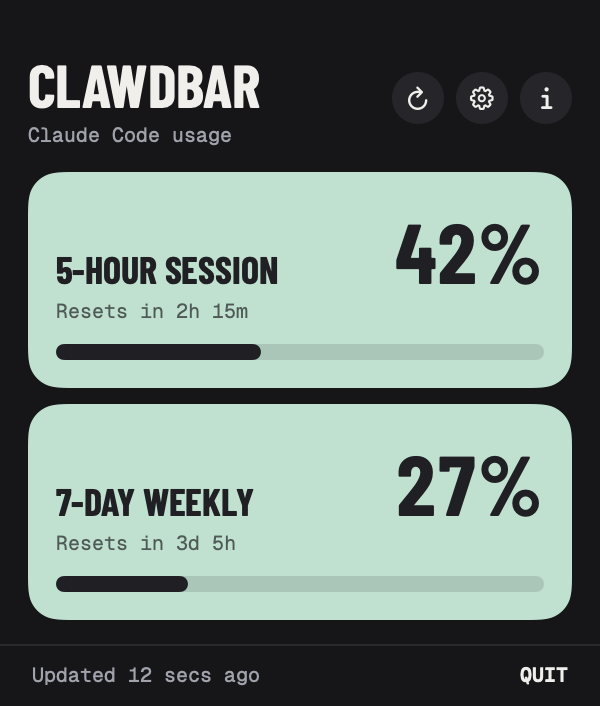
Click for the detail: each limit as a colour block with the exact percentage, a progress bar, and exactly when it resets.
03
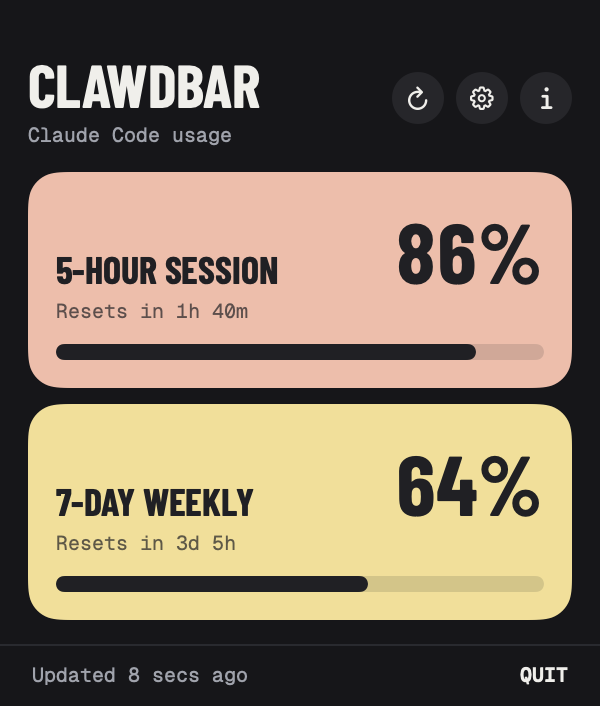
As you use more, the cards warm up from mint to butter to peach. You'll see a limit coming long before you hit it.
04
Turn on usage alerts and ClawdBar taps you on the shoulder when a limit passes your threshold, anywhere from 50% to 95%.

05
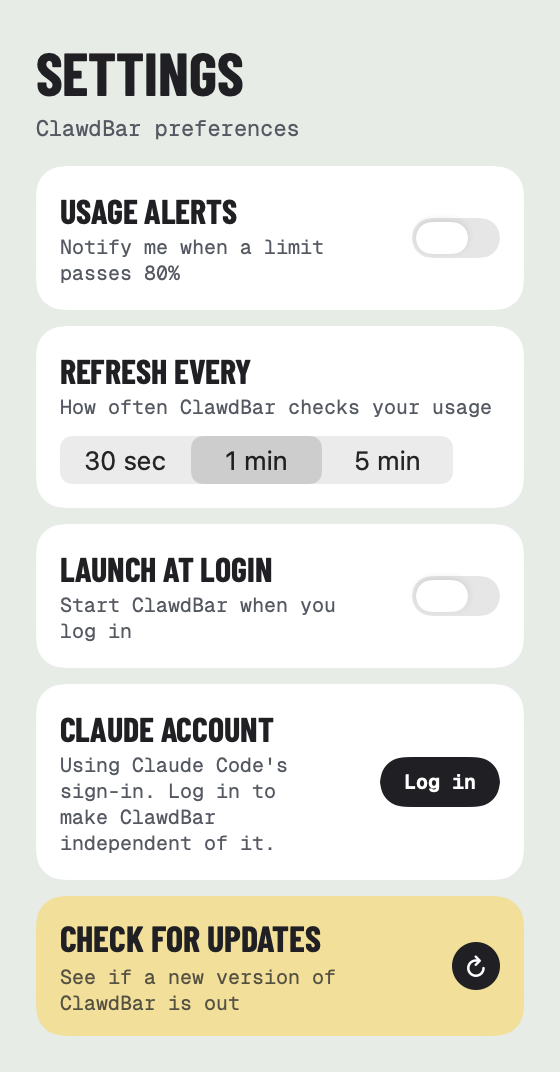
Choose how often it checks, start it at login, and it quietly keeps count. If Claude Code's session expires, ClawdBar can sign in on its own.
And the little things
Small details that make it easy to live with every day.
Know exactly when each limit frees up again, from "2h 15m" to "3d 5h".
Check every 30 seconds, every minute or every 5 minutes. Fewer checks use even less.
Each limit alerts you once per window, even if ClawdBar restarts. No nagging.
Uses Claude Code's sign-in, or log in with Claude directly so it keeps working on its own.
Check for updates in Settings. ClawdBar quits, updates through Homebrew and reopens.
Built in SwiftUI with no Electron. Light and dark mode, VoiceOver, and a cat who waves hello.
Take a look
From the first launch to signing in, every screen shares the same calm, colourful style.
Private by design
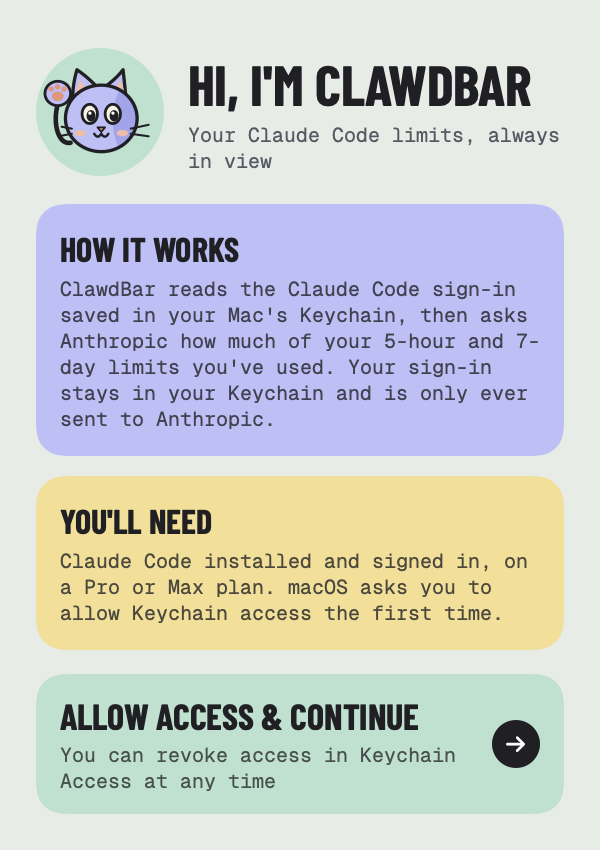
ClawdBar reads Claude Code's sign-in from your Mac's Keychain, with your permission, and never changes it.
Each check is a tiny one-token request to Anthropic's API, which reports your usage back. Your sign-in goes nowhere else.
No analytics, no accounts of its own and nothing collected. It's open source, so you can check.

Install ClawdBar with the three commands above, click Allow access, and your usage appears in the menu bar. It's open source, signed and notarized by Apple.
Enjoying it? Buy me a coffee ☕ · Need help? Support
Also from me: BrewDock, Homebrew in your menu bar
ClawdBar is an independent app and isn't affiliated with or endorsed by Anthropic. Claude and Claude Code are trademarks of Anthropic.