Mop Up app icon Mop Up for Mac

A tidier Mac,
for free

Clear out the junk your Mac collects, uninstall apps along with the files they leave behind, and see where your disk space has gone. Nothing is removed until you say so.

Install with Homebrew
$ brew tap RossNicholson/tap
$ brew trust --cask rossnicholson/tap/mopup
$ brew install --cask mopup

Homebrew 7 asks you to trust casks from other taps. On older versions, skip the brew trust line.

For Mac · macOS 14 or later · Free · Open source

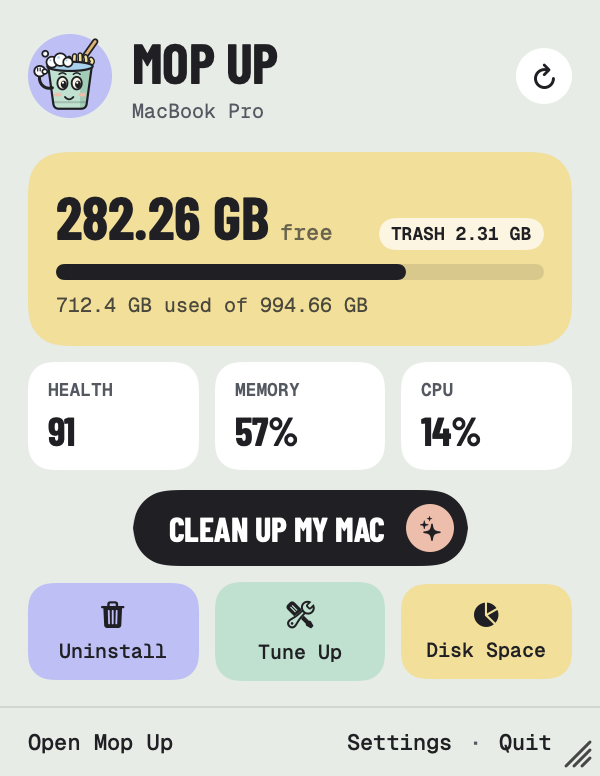
Mop Up's menu bar panel: 282 GB free, health 91, memory 57%, CPU 14%, and a Clean up my Mac button

What it does

Four jobs,
done properly

No Terminal, no jargon. Every job shows you what it found first, and you decide.

01

Clean up

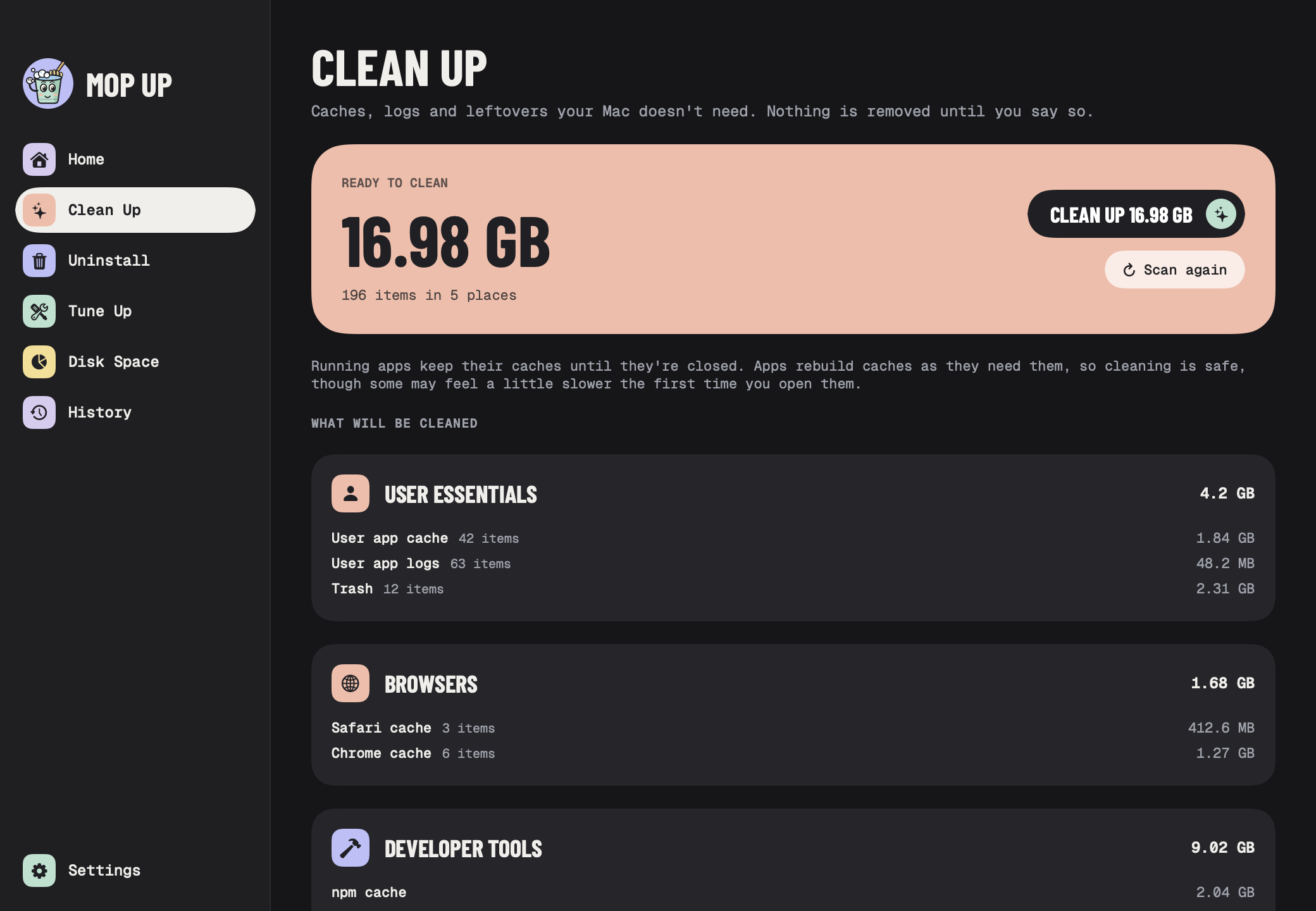
Mop Up looks through app caches, logs, browser leftovers, developer files and bits left behind by apps you've deleted. You see how much it found and where, file by file if you like, before anything is cleaned. Big things it won't touch on its own, like old iPhone backups, are listed separately so you can decide.
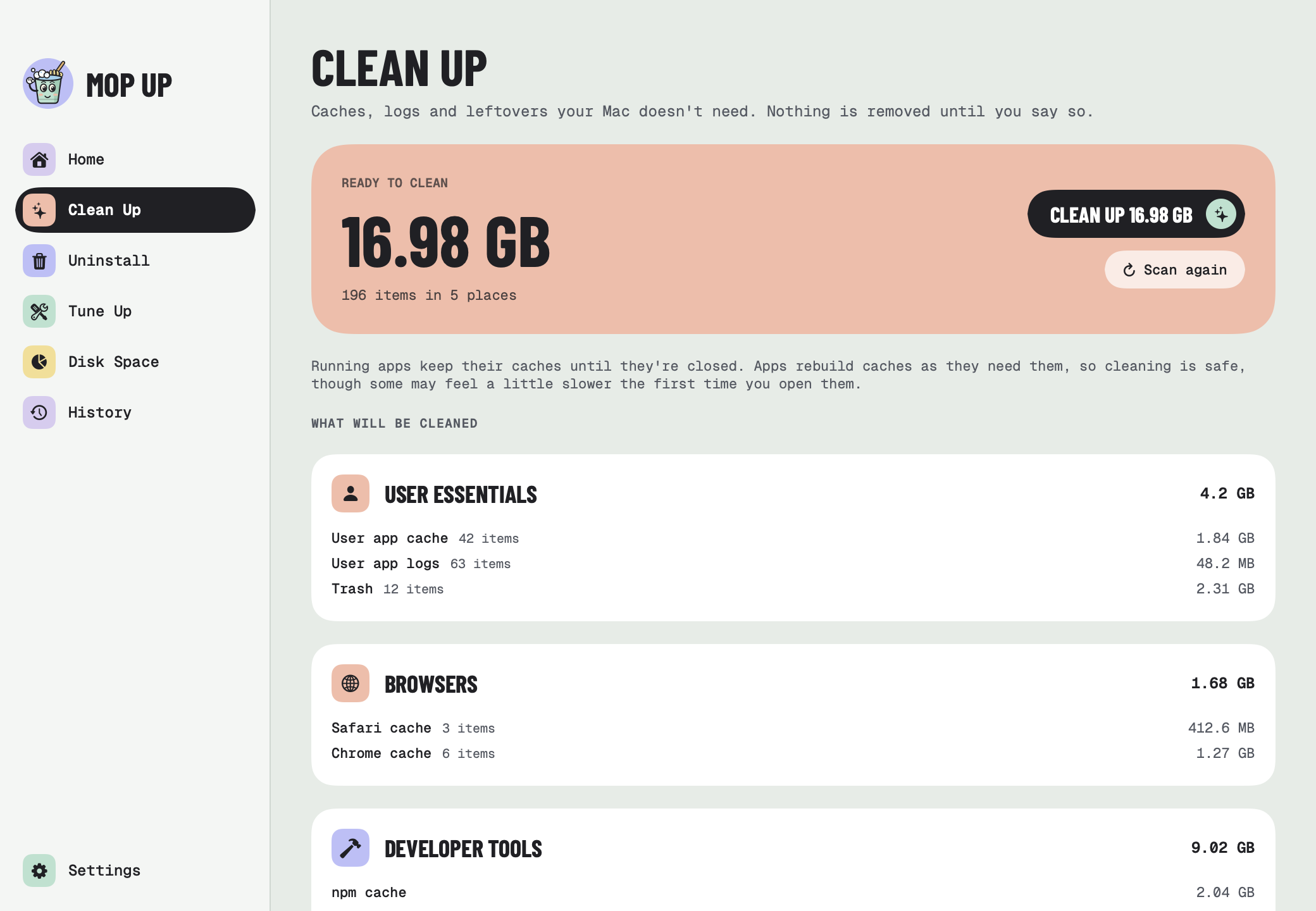
Clean Up showing 16.98 GB ready to clean across user caches, browsers and developer tools

02

Uninstall apps

Dragging an app to the Trash leaves its settings, caches and support files behind. Mop Up finds them too. Pick the apps, check the list of files, then move everything to the Trash, where you can still get it back. Apps that are open have to be quit first, so nothing unsaved is lost.

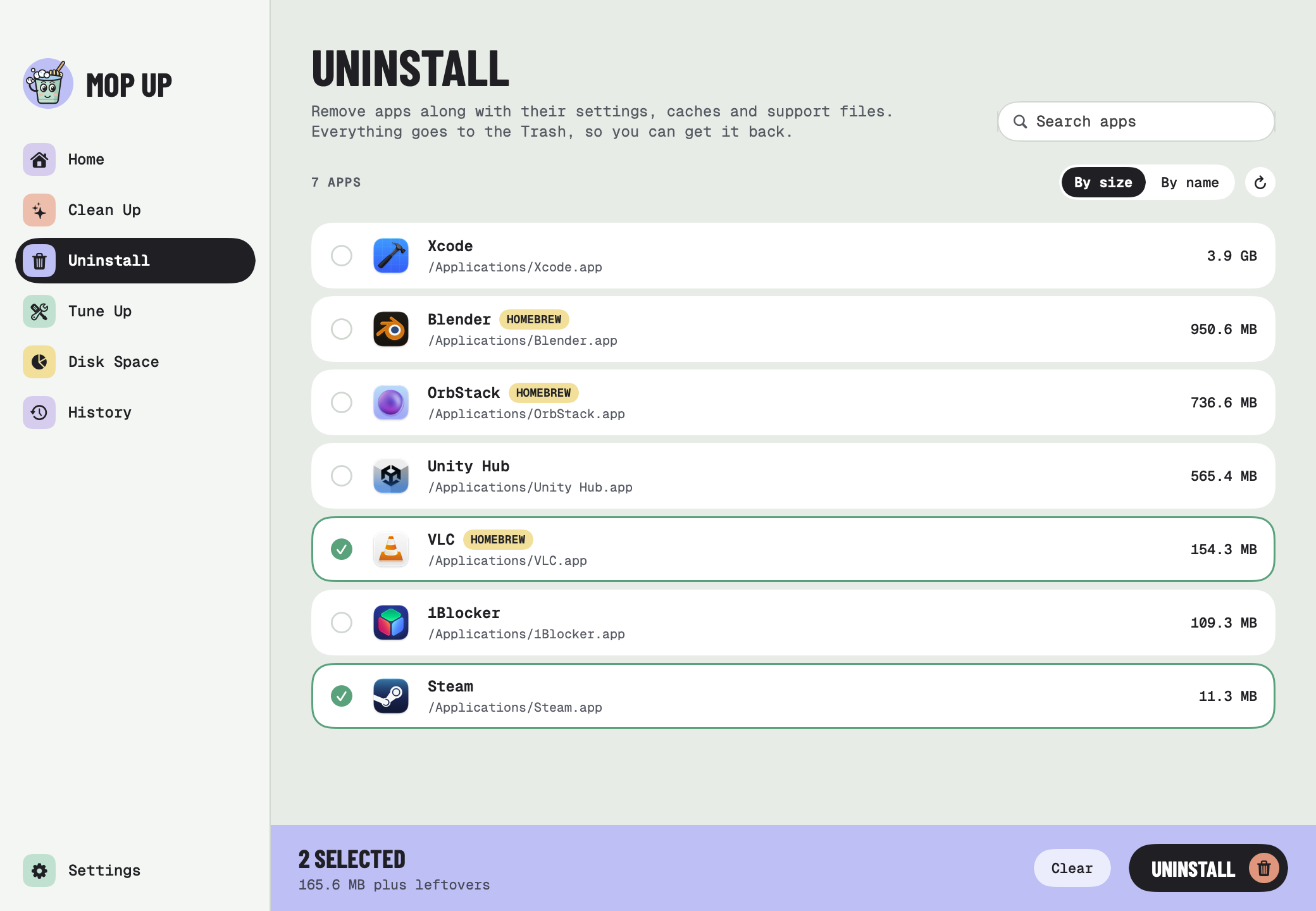
The Uninstall list sorted by size, with VLC and Steam selected

03

Tune up

The routine maintenance macOS doesn't do on its own. Mop Up refreshes Finder, Spotlight and network caches, checks preferences, login items and launch agents, and fixes what it safely can. You can check first without changing anything.

Tune Up finished: 6 optimizations applied, with a grid of passed checks

04

Find the space

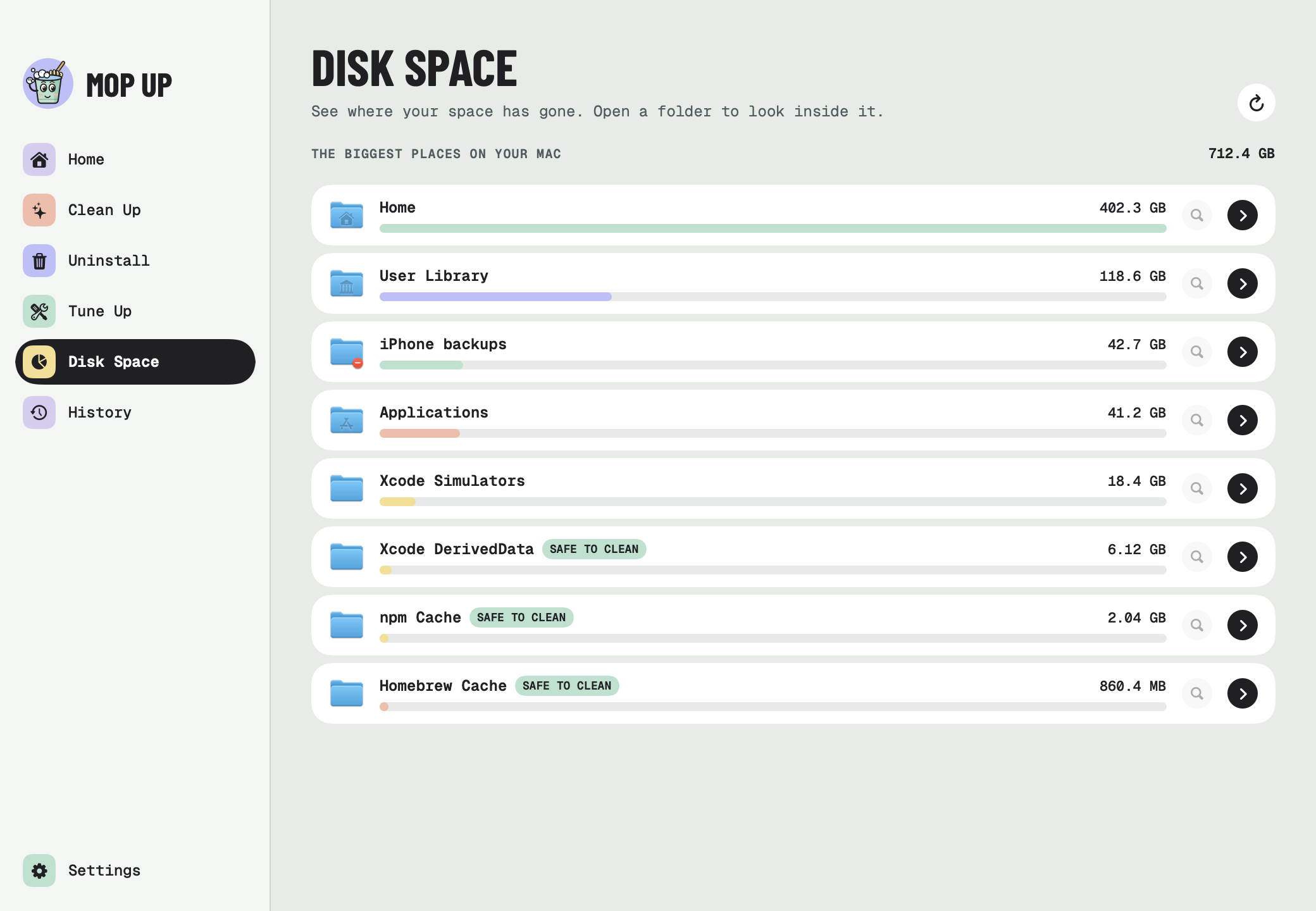
See the biggest places on your Mac, then open folders to look inside. Things that are safe to clean are labelled. Show anything in Finder, or move it to the Trash from right there.

Disk Space listing the biggest folders, with Xcode DerivedData, npm and Homebrew caches marked safe to clean

05

Your Mac at a glance

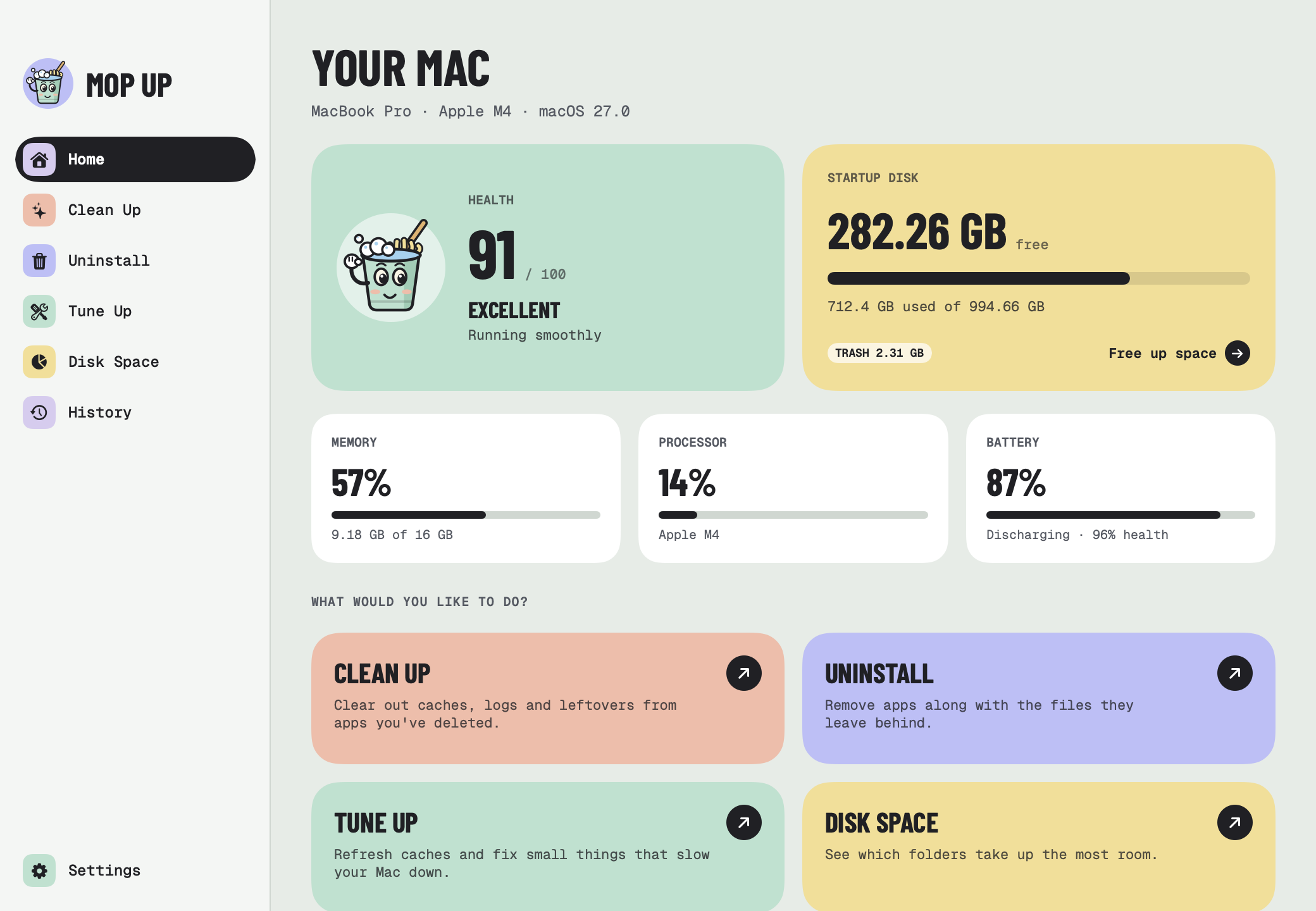
A health score, free disk space, memory, processor and battery, updated live. Mop Up also sits in the menu bar with your free space, so you know when it's time for a clean. Drag the corner of its panel to make it bigger.

Home: health 91 out of 100, 282 GB free, memory, processor and battery

Careful by default

Safe to use

A cleaner should never surprise you. These are the rules Mop Up works by.

You decide

Every clean-up and uninstall shows you what it found first. Nothing happens until you press the button.

Trash first

Uninstalled apps and anything you remove in Disk Space go to the Trash, so you can change your mind.

Hands off your files

Clean Up only clears things apps rebuild on their own, like caches and logs. Your documents, photos and music are never part of it.

Open apps are safe

Caches of running apps are left alone, and an app has to be quit before it can be uninstalled.

History

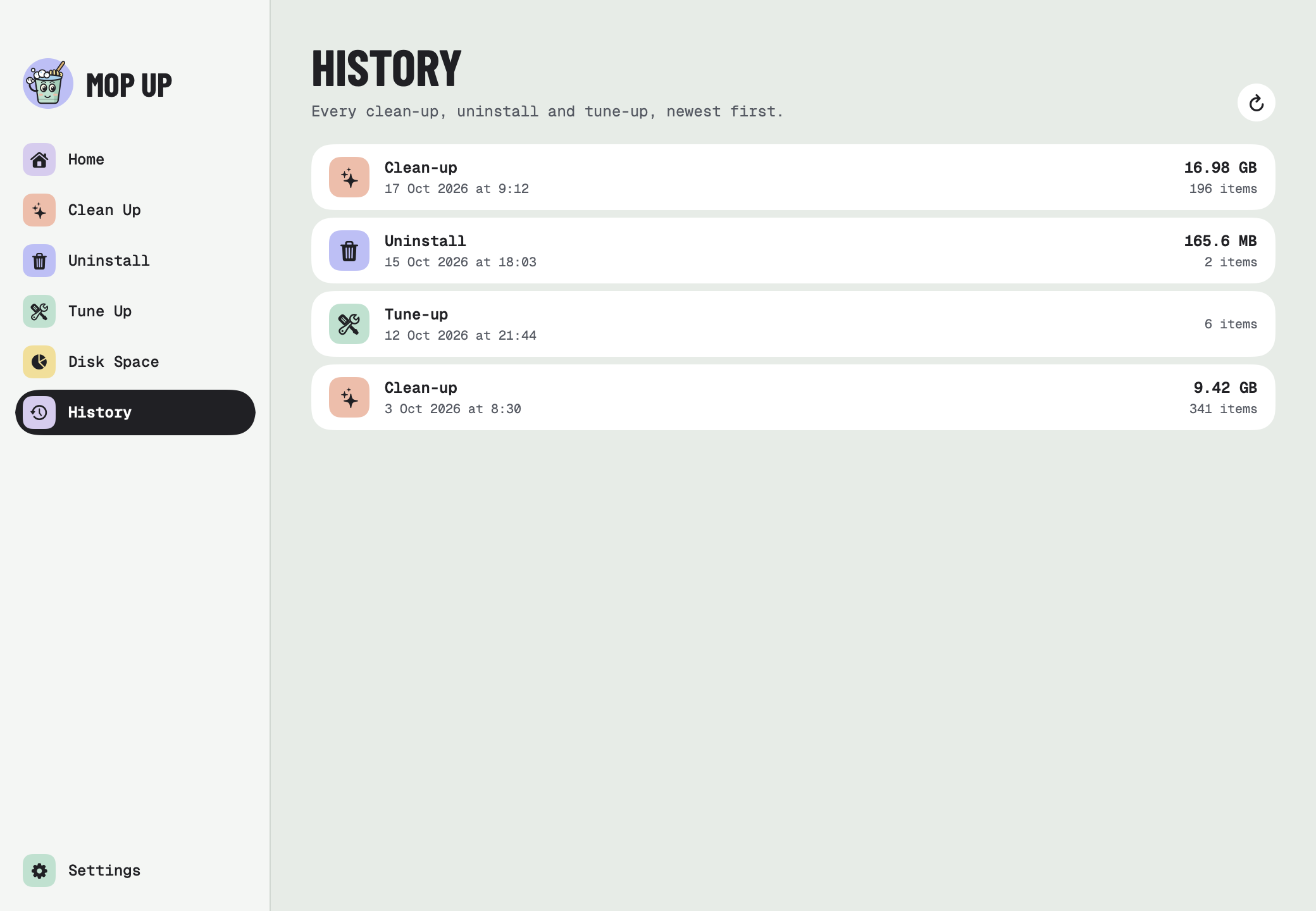
Every clean-up, uninstall and tune-up is listed, with how much space it freed.

Your password stays yours

When a step needs admin rights, a password dialog asks first. Your password goes straight to macOS and is never saved or sent anywhere.

Private by design

Your Mac.
Your files.

Runs on your Mac

Every scan and clean happens on your Mac. Mop Up doesn't upload anything, anywhere.

No account

No sign-up, no email address, no subscription. Install it and press Scan.

No tracking

No analytics, no adverts and nothing collected. Ever.

Powered by Mole

Built on great open source

Mop Up's cleaning engine is Mole, the open-source Mac cleaner by tw93. Mole does the scanning and cleaning; Mop Up is the friendly window on top. If you're happy in the Terminal, try Mole itself.

Let's mop up

Install Mop Up with the three commands above, or download it from GitHub. It's free, open source, and signed and notarized by Apple.

Enjoying it? Buy me a coffee ☕ · Need help? Support