Dr. Mac app icon Dr. Mac for Mac

A check-up
for your Mac

Dr. Mac checks your files for viruses, trojans, ransomware and booby-trapped documents, keeps an eye on new downloads, and locks away anything it finds. It runs ClamAV, the open-source antivirus engine, right on your Mac.

For Mac · macOS 14 or later · Free · Installs with Homebrew · Open source

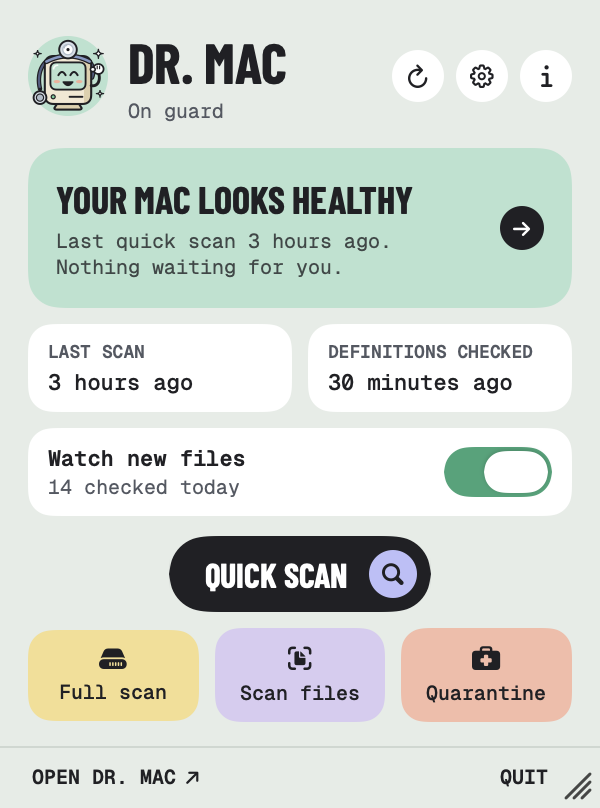
Dr. Mac's menu bar panel: your Mac looks healthy, last scan 3 hours ago, definitions checked 30 minutes ago, watching new files with 14 checked today, and a Quick scan button

What it does

Scan, watch,
lock it away

No Terminal and no jargon. Dr. Mac tells you what it found in plain words, and what it did about it.

01

Scan your Mac

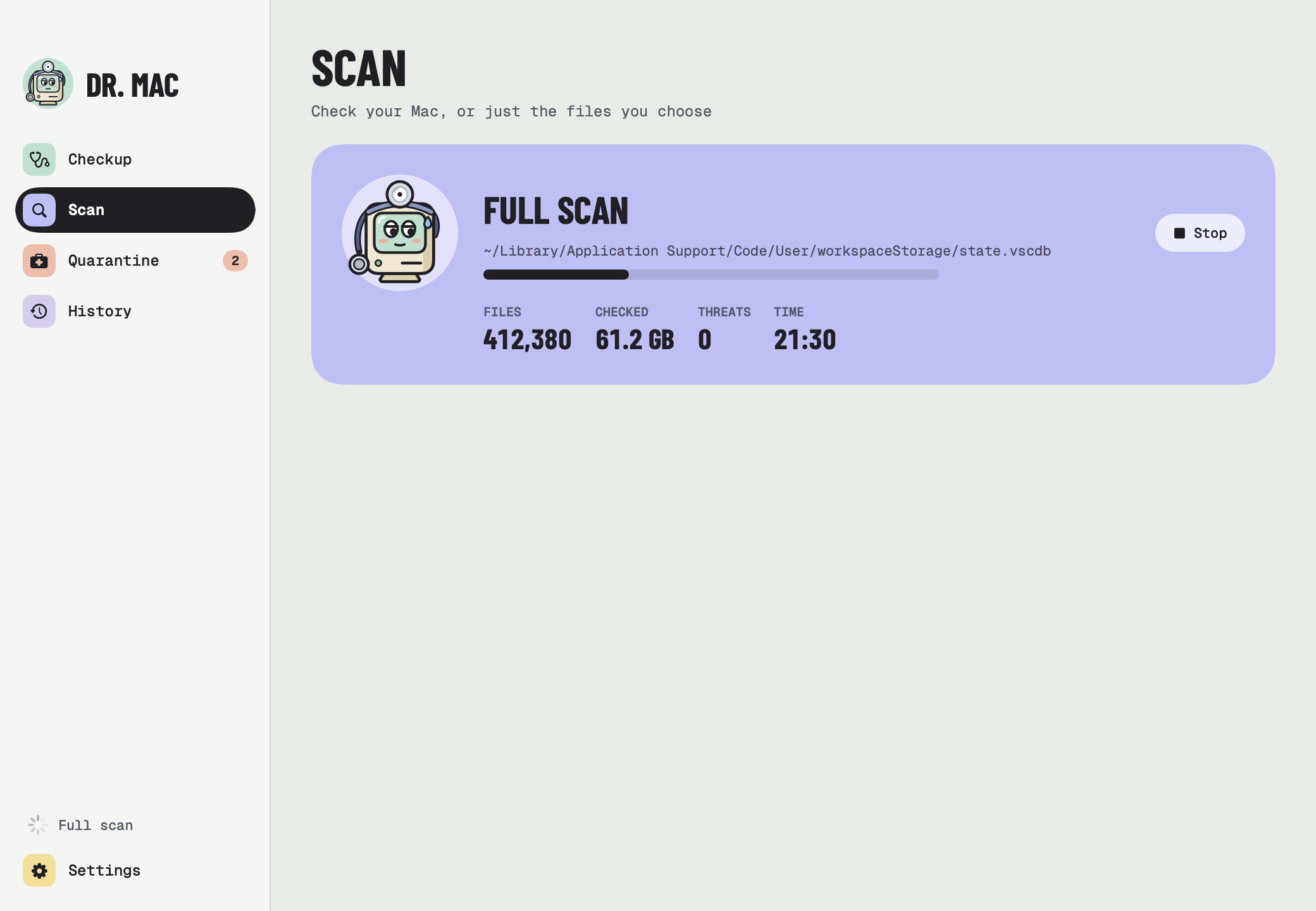
A quick scan checks Downloads, Desktop, mail attachments and the places malware hides to start when you log in, in a minute or two. A full scan goes through your home folder, apps and libraries, and any external drives plugged in (Time Machine drives are left out). Or check just the files you choose: drop them on the window or the Dock icon, or right-click in Finder and choose Services → Scan with Dr. Mac.
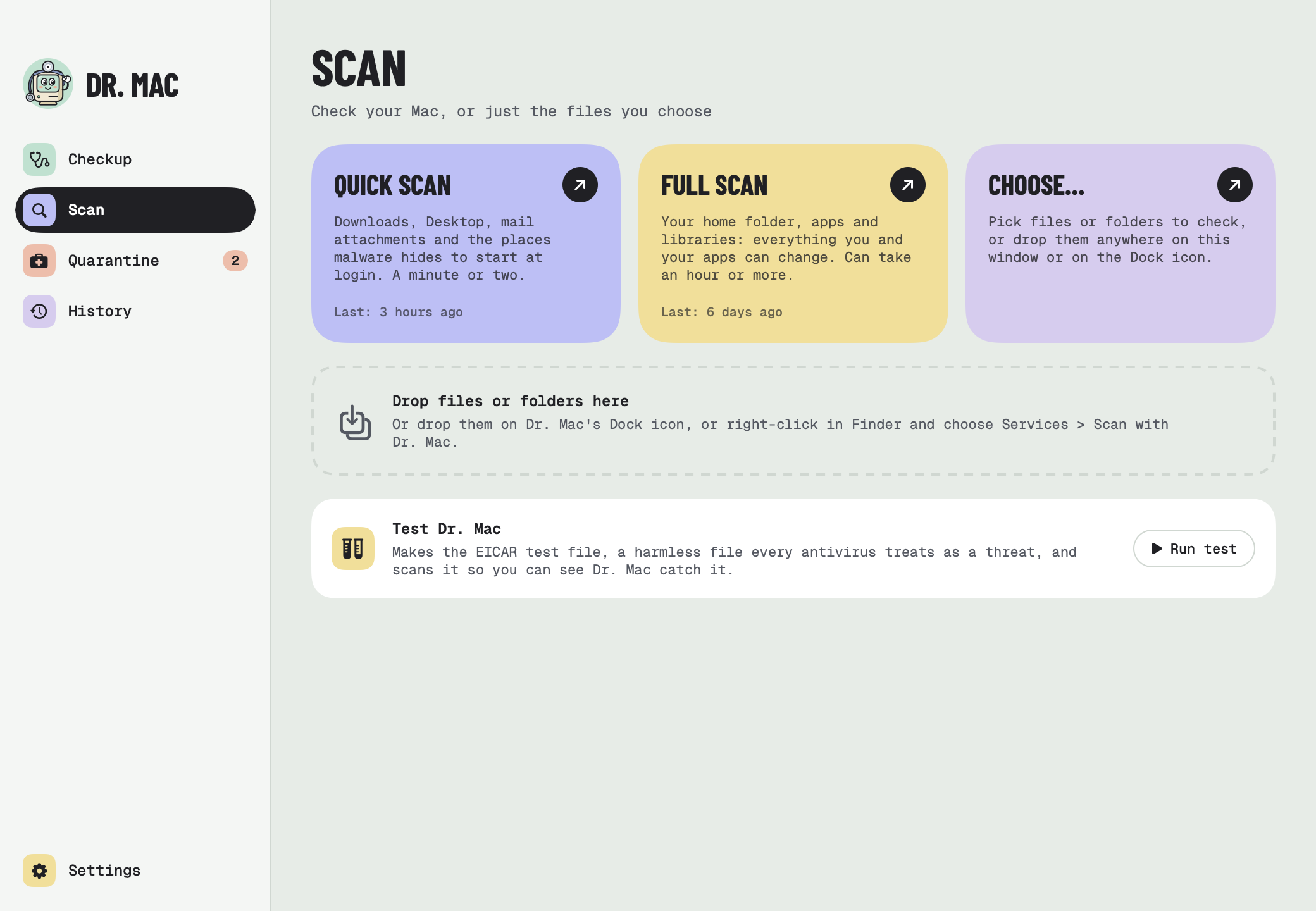
The Scan screen: Quick scan, Full scan and Choose cards, a place to drop files, and a Test Dr. Mac card

02

Watch new files

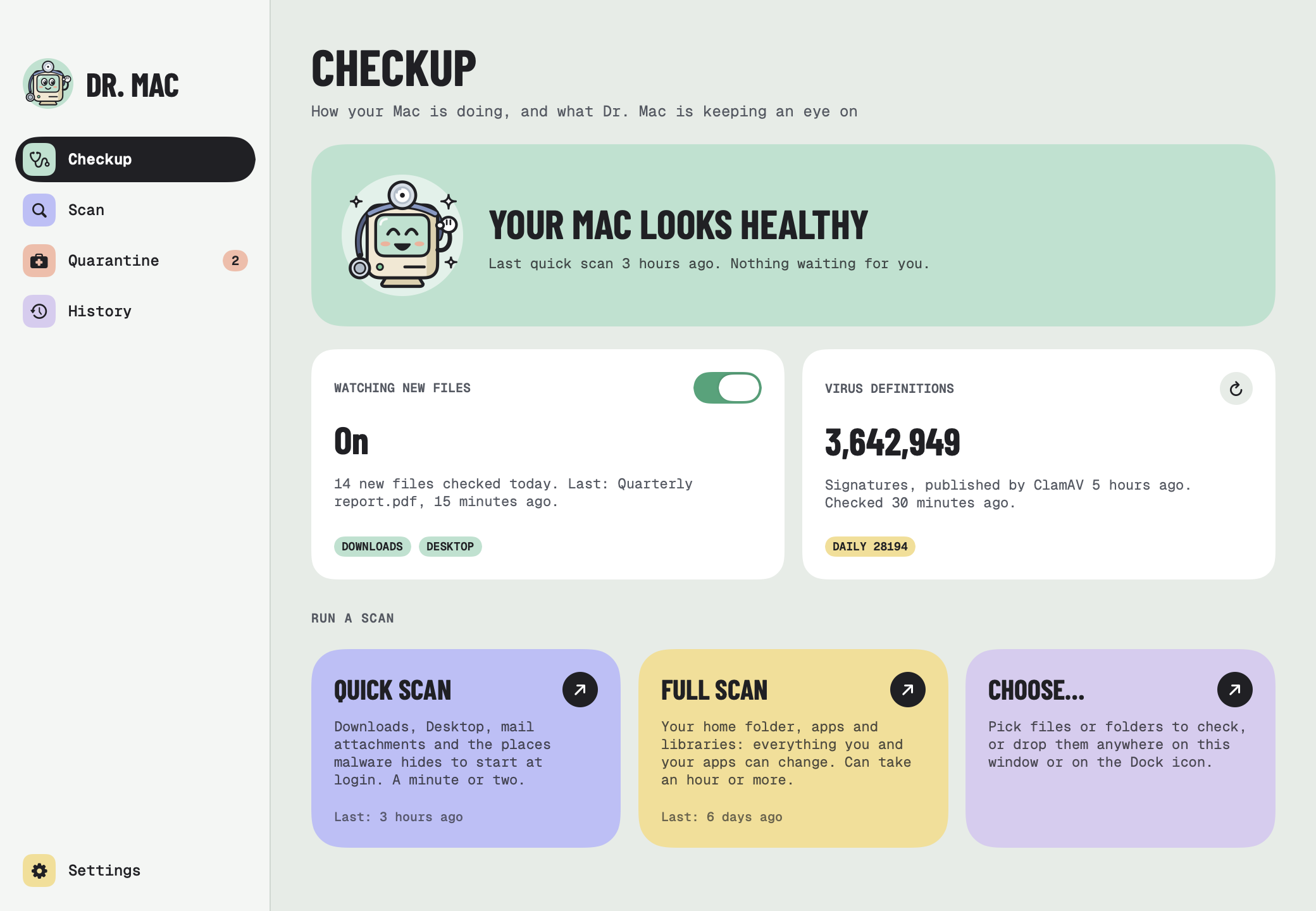
Turn on watching and every new file in Downloads and Desktop, or folders you pick, is checked as soon as it has finished downloading or saving. Folders you unzip or move in are checked too. The checkup screen shows how many it has looked at today. Plug in a USB stick or external drive and Dr. Mac offers to check that as well (Time Machine drives are left alone).

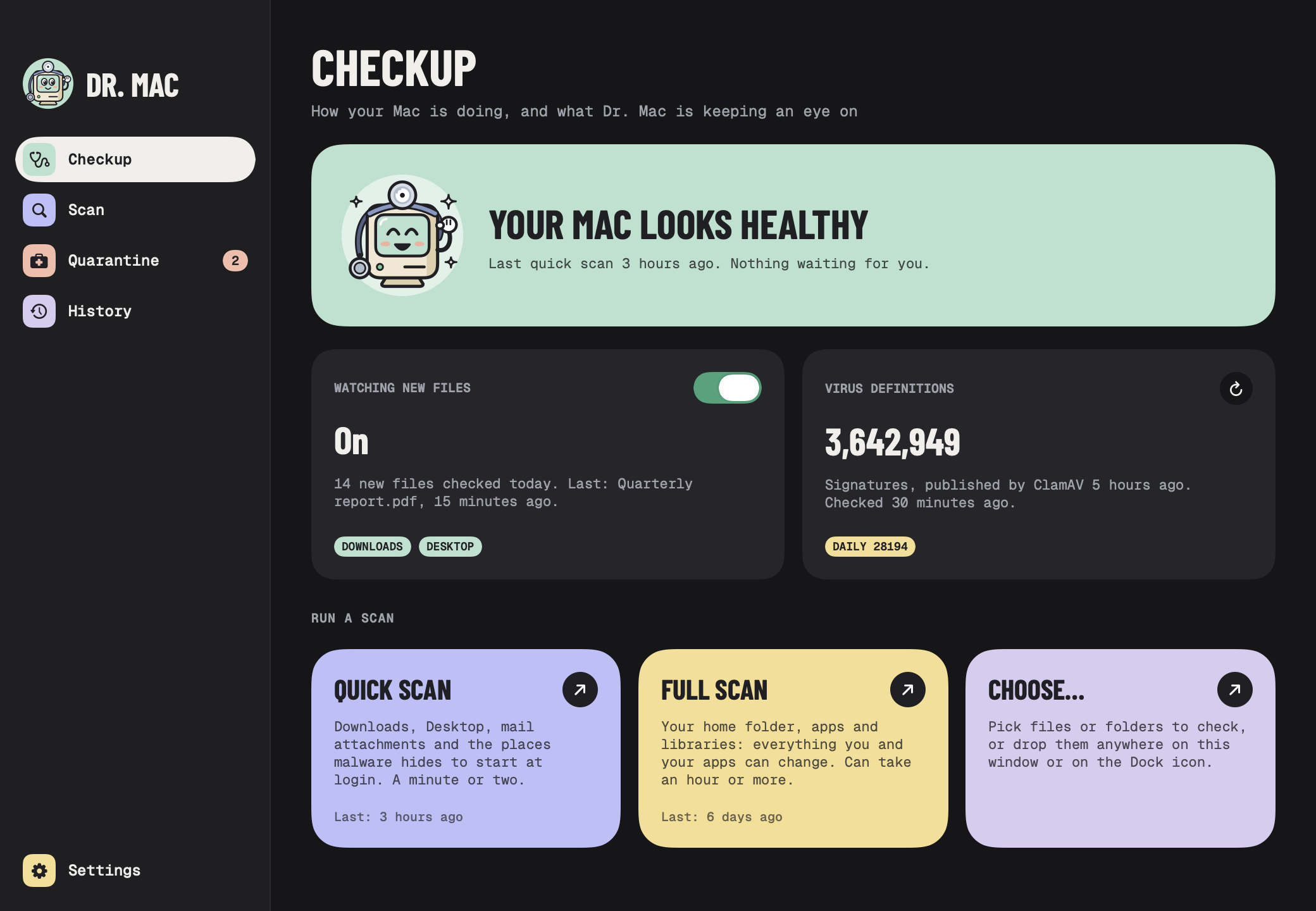
Checkup: your Mac looks healthy, watching new files is on with 14 checked today, and 3,642,949 virus signatures published by ClamAV 5 hours ago

03

Deal with threats

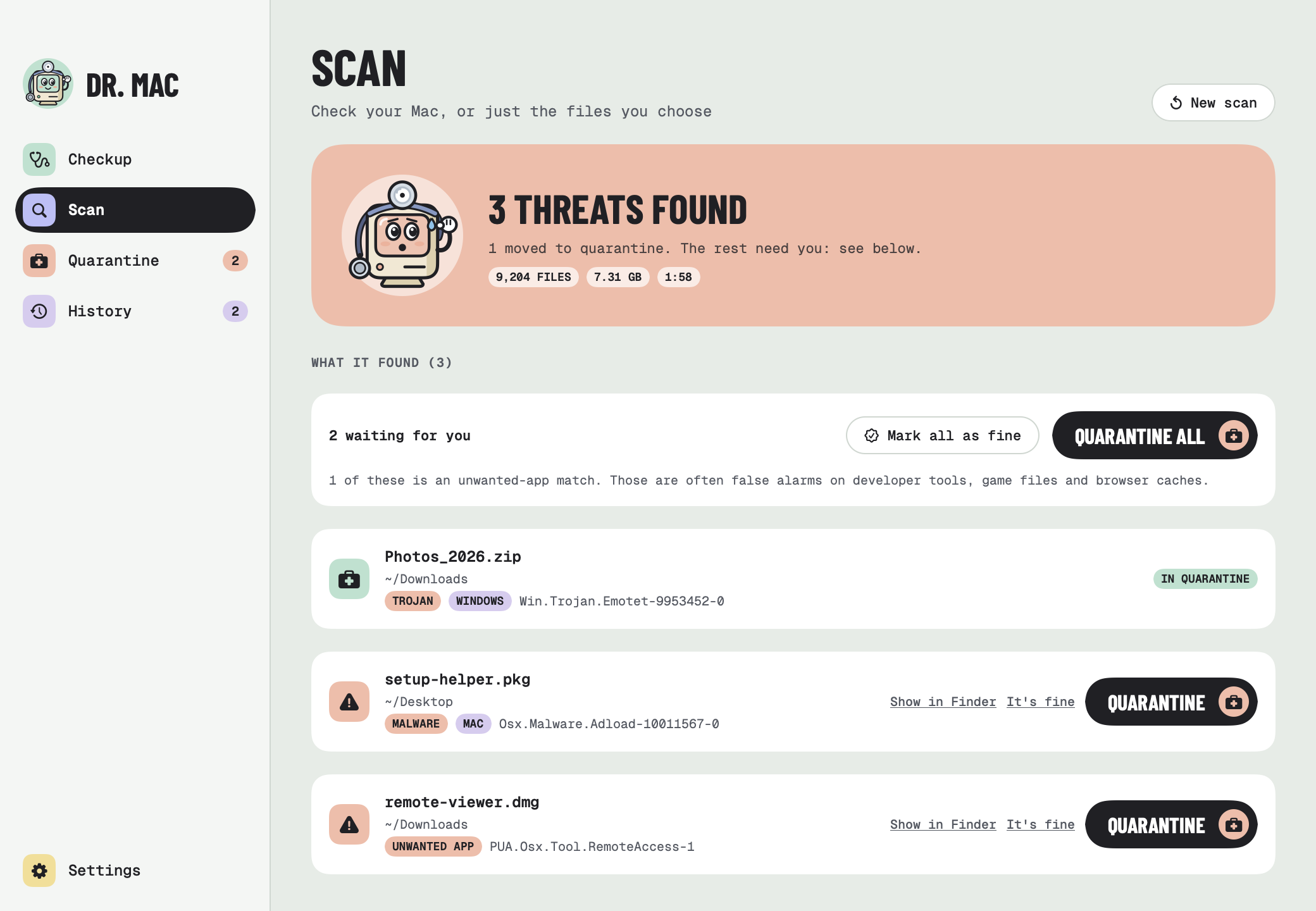
Anything harmful is moved into quarantine automatically, where it can't run or be opened. Prefer to decide each time? Turn that off and Dr. Mac asks instead. Each threat says what kind it is and whether it's aimed at Macs or at Windows, so you know what you're looking at. Got a long list? Quarantine it, or mark it all as fine, in one go.

Scan results: 3 threats found. A zip in Downloads is already in quarantine; a package on the Desktop and an unwanted app wait, with Mark all as fine and Quarantine all buttons above them

04

Put back or delete

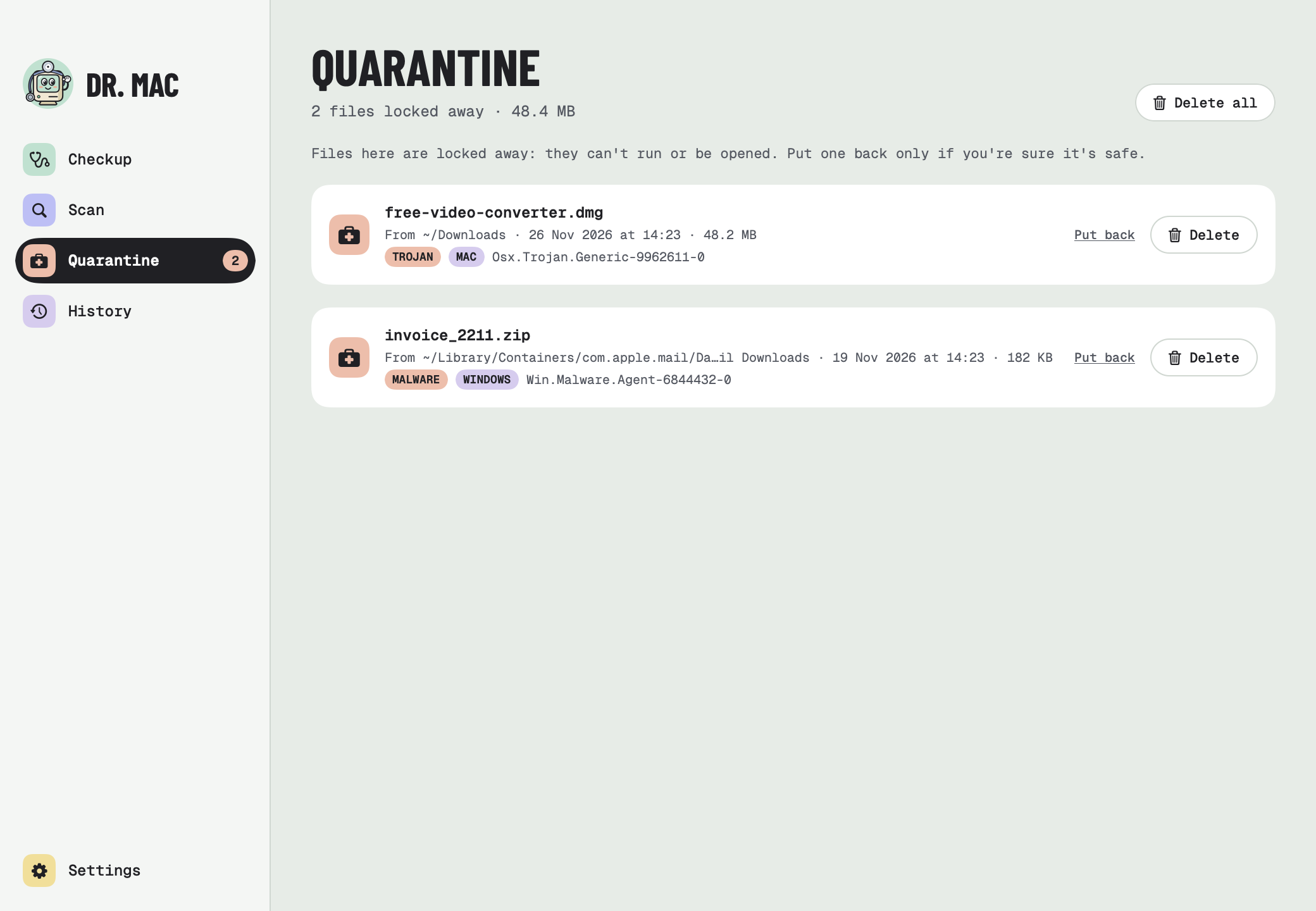
Quarantined files stay locked away until you decide. Delete them for good, or, if you're sure one is safe, put it back where it was and tell Dr. Mac to trust it, so the same file isn't flagged again.

Quarantine: two files locked away, each with where it came from, what was found, and Put back and Delete buttons

05

Up to date by itself

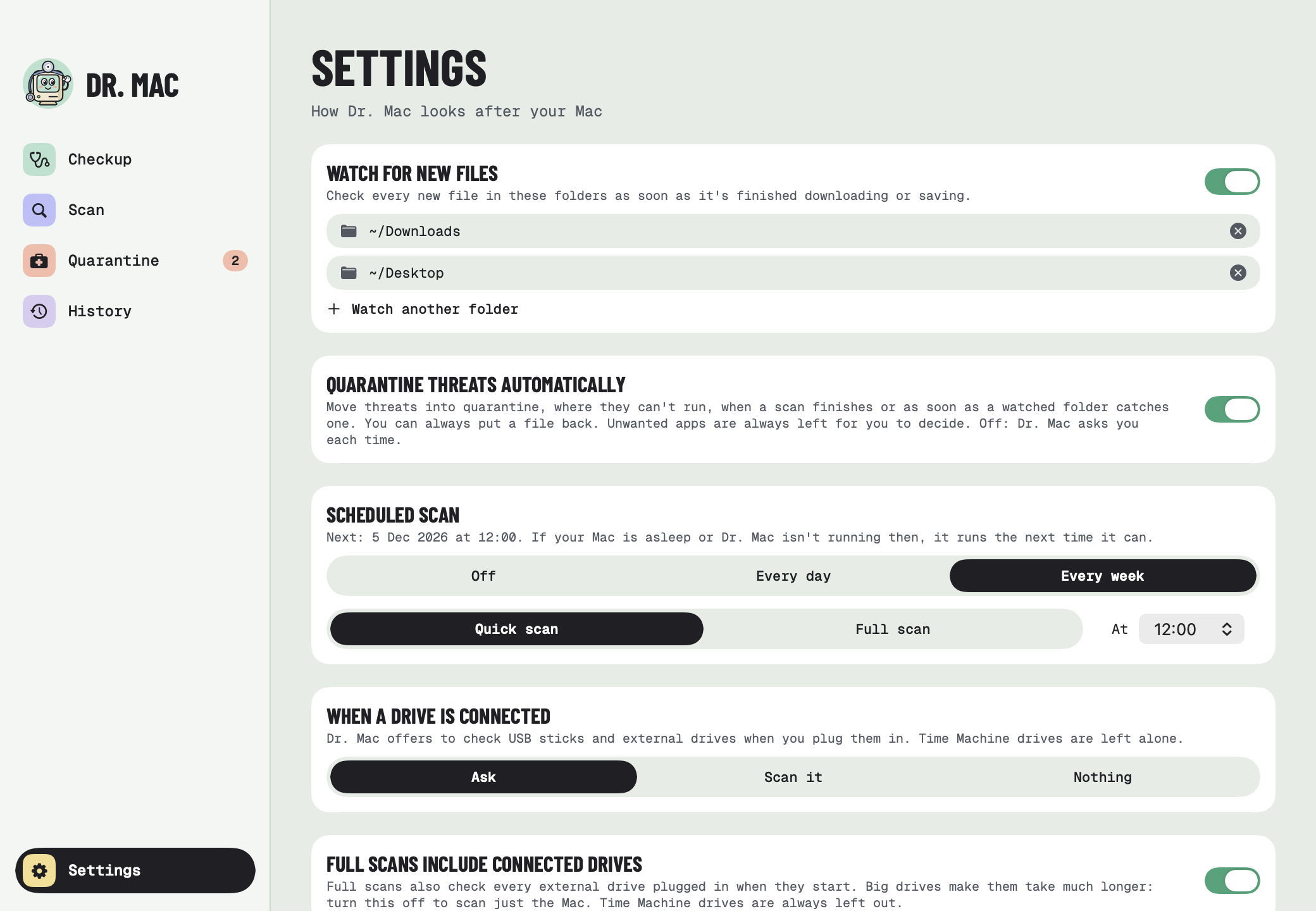
Dr. Mac downloads ClamAV's latest virus definitions every few hours, and tells you if updates stop getting through. Schedule a quick or full scan every day or every week. If your Mac is asleep at the time, it runs the next time it can.

Settings: watch for new files in Downloads and Desktop, quarantine threats automatically, a weekly quick scan at 12:00, and scanning options

Straight answers

What it does,
and what it doesn't

An antivirus app should be honest about what it can catch. Here's the plain version.

Known threats

ClamAV recognises millions of known viruses, trojans and phishing documents, including Windows malware you could pass on to someone else in an email attachment.

Alongside macOS

Your Mac's own protection, Gatekeeper and XProtect, stays on. Dr. Mac is a second opinion, not a replacement.

Checks, doesn't block

Watching checks new files in the folders you choose once they arrive. It doesn't hook into macOS to stop every file as it opens, and no antivirus catches everything.

Nothing deleted

Dr. Mac never deletes a file by itself. Threats go to quarantine, and only you can delete them or put them back.

See it work

One click makes the EICAR test file, a harmless file every antivirus treats as a threat, and shows Dr. Mac catching it.

Light when idle

The scanner needs about 1.5 GB of memory while it runs, so Dr. Mac unloads it after five quiet minutes. Or keep it ready, if you'd rather.

Private by design

Your Mac.
Your files.

Files stay put

Every scan happens on your Mac. Dr. Mac never uploads your files, or anything about them, anywhere.

No account

No sign-up, no email address, no subscription. Install it and press Quick scan.

No tracking

No analytics and no adverts. It only goes online to download virus definitions from ClamAV and to check for Dr. Mac updates.

Powered by ClamAV

Built on great open source

Dr. Mac's scanner is ClamAV, the open-source antivirus engine from Cisco Talos, and its virus definitions come from ClamAV's own servers. Dr. Mac includes Cisco's unmodified ClamAV 1.5.5 and is the friendly window on top. ClamAV is licensed under the GNU GPL, and its source code is attached to every Dr. Mac release.

Download & install

Dr. Mac is free. It installs with Homebrew, a free and widely used tool for installing Mac apps and keeping them up to date. You only need to set it up once.

  1. Get Homebrew. Download the installer, open it and click through, like any Mac installer. It asks for your Mac password. Already have Homebrew? Skip to step 2.

    Download Homebrew
  2. Open Terminal, an app that comes with every Mac. Press ⌘ Space, type Terminal and press Return. A window with a blinking cursor opens.

  3. Click Copy, paste into Terminal with ⌘ V and press Return. Text scrolls past while Homebrew installs Dr. Mac. It's done when it stops.

    Install Dr. Mac
    $ brew tap RossNicholson/tap$ brew trust --cask rossnicholson/tap/drmac$ brew install --cask drmac

    See command not found: brew? Quit Terminal with ⌘ Q, open it again and paste once more.

  4. Open Dr. Mac from your Applications folder. If your Mac asks whether you're sure you want to open it, click Open. The first time, it downloads the latest virus definitions (about 100 MB), which takes a minute or two. Then press Quick scan.

What your Mac will ask

Your Mac checks with you before an app can do certain things. Here's what Dr. Mac asks for, and what to click.

  • Full Disk Access. Optional, but best. Without it, macOS keeps some private folders, like Mail and Messages, out of scans, and Dr. Mac tells you how many it couldn't look in. It shows a button that opens System Settings: turn Dr. Mac on there.
  • Notifications. So Dr. Mac can tell you when a new file turns out to be a threat, or a scheduled scan finishes. Click Allow.
  • Open at login. If you turn it on in Settings, macOS shows a notice that a login item was added. That's expected.

On an older Homebrew, an error about brew trust is safe to ignore.

The doctor will see you now

Dr. Mac is free, open source, and signed and notarized by Apple.

Enjoying it? Buy me a coffee ☕ · Need help? Support

Also from me: Mop Up, a free Mac cleaner, and BrewDock, Homebrew in your menu bar

Dr. Mac is an independent app and isn't made by, affiliated with or endorsed by Cisco, the ClamAV project, Apple or Homebrew. ClamAV is a registered trademark of Cisco.