01
Store it once
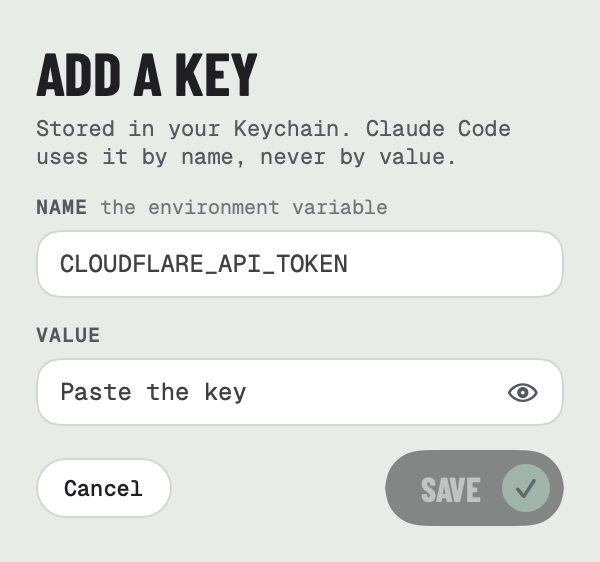
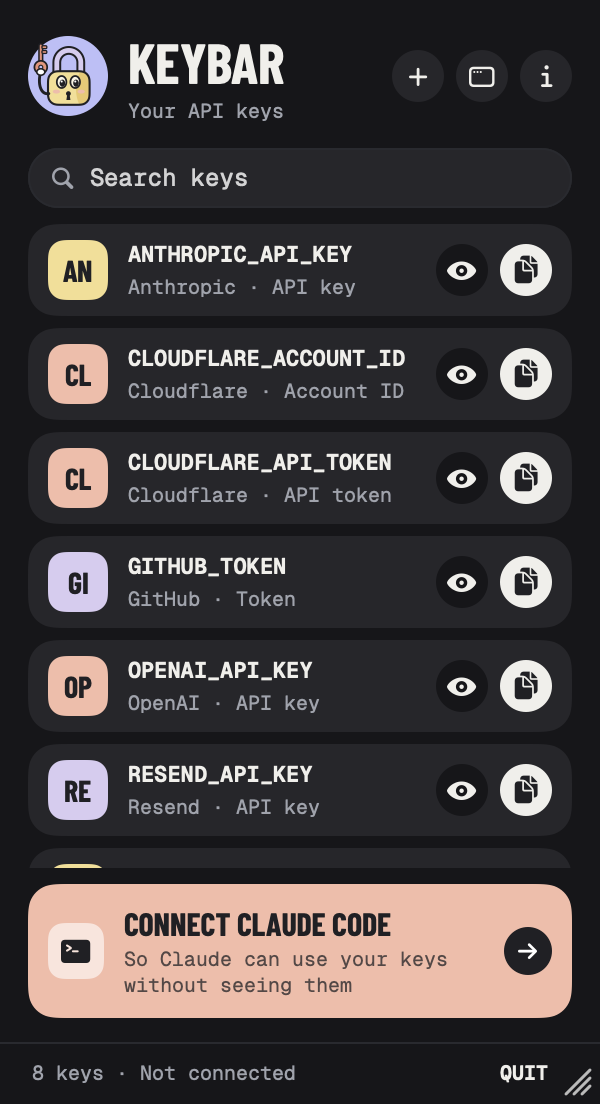
Click the key in your menu bar and paste. KeyBar recognises keys from dozens of services and fills in the name for you, like ANTHROPIC_API_KEY or GITHUB_TOKEN. Got a .env file? Import it and pick which lines to bring in.
 KeyBar for Mac
Keep your keys for Claude, Cloudflare, GitHub and the rest in your Mac's Keychain. Claude Code uses them by name to run commands, and never sees the values.
For Mac · macOS 14 or later · Works with Claude Code · Installs with Homebrew · Open source
What it does
No more keys in .env files, shell history or chat transcripts. Store each one once, and Claude Code finds it when it needs it.
01
Click the key in your menu bar and paste. KeyBar recognises keys from dozens of services and fills in the name for you, like ANTHROPIC_API_KEY or GITHUB_TOKEN. Got a .env file? Import it and pick which lines to bring in.
02
Click Connect Claude Code and KeyBar adds its MCP server to Claude Code for all your projects. Ask Claude to deploy your site or call an API, and it runs the command with your key set as an environment variable. Any copy of the key in the output, as written, base64, URL-encoded or reversed, comes back as [REDACTED].
list_secrets: the names of your keys and what they're for. Never the values.run_with_secrets: runs a command with the keys it names, then hides them in what it prints.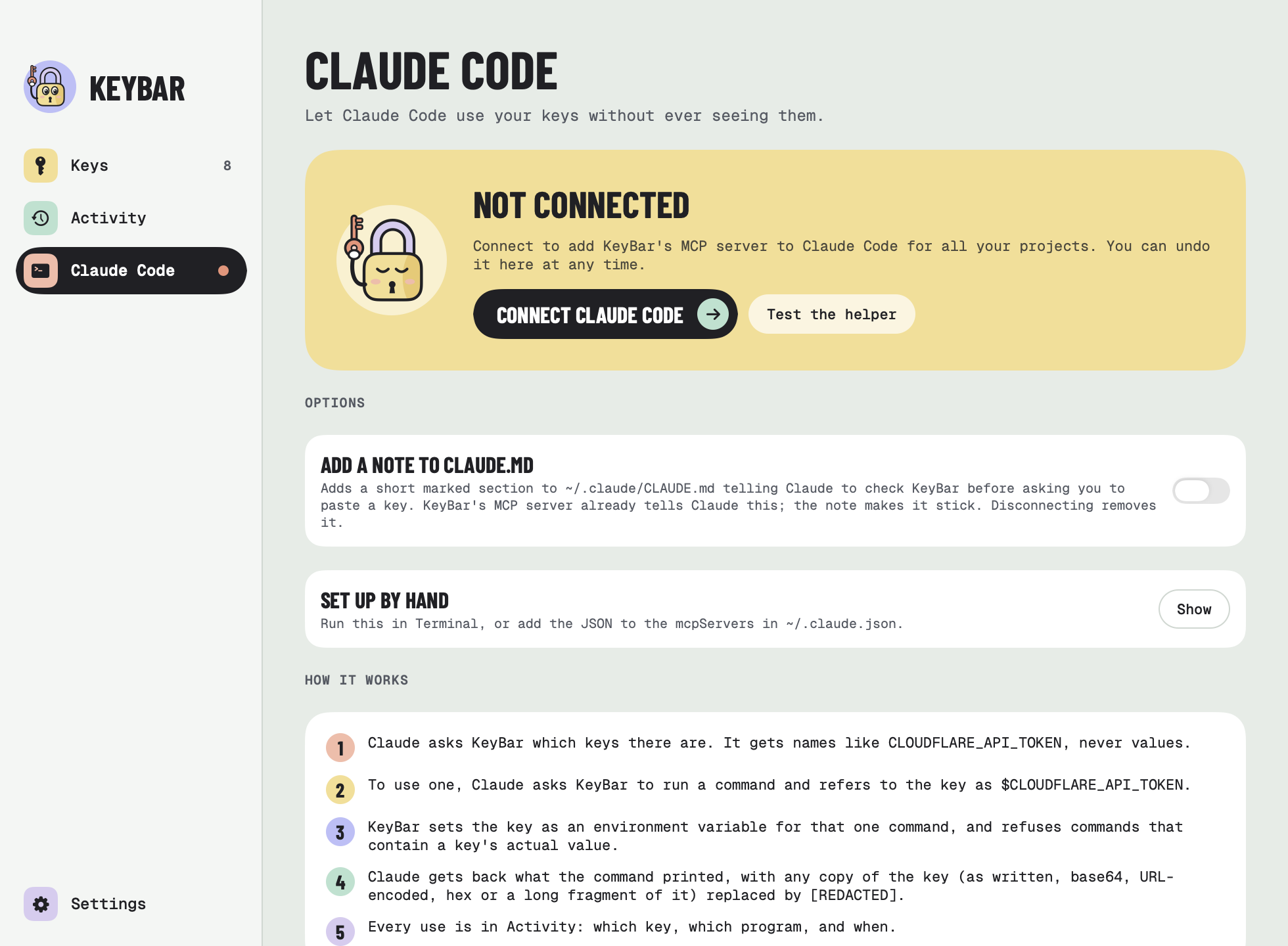
03
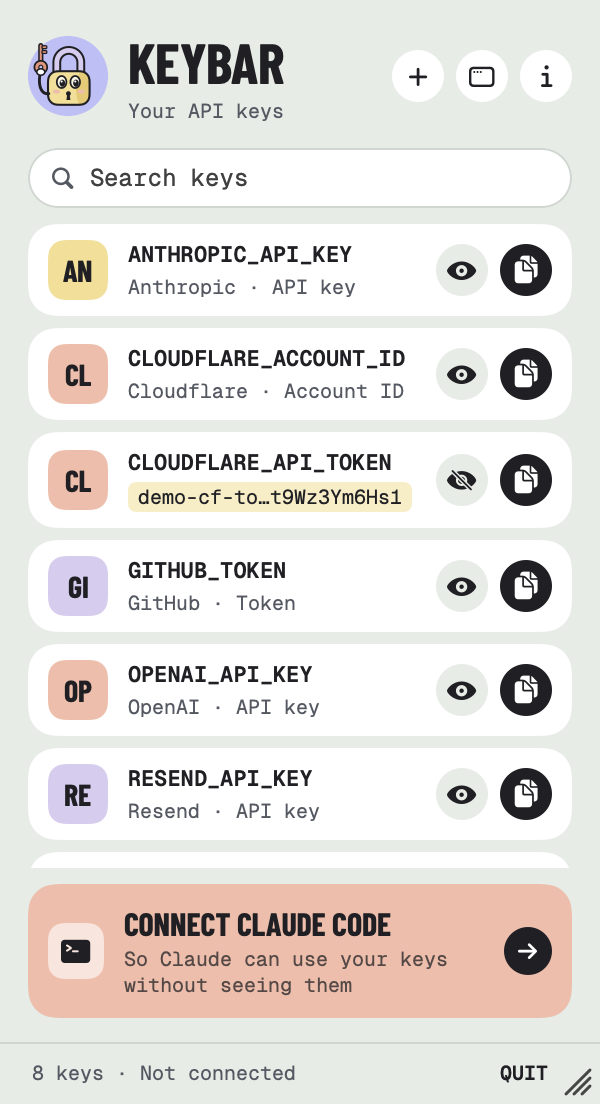
Showing or copying a key asks for Touch ID, or your Mac's password. Before Claude Code uses a key, KeyBar asks too, and the prompt shows the exact command it wants to run. One yes covers the same keys in the same project for 15 minutes, or choose every time.
04
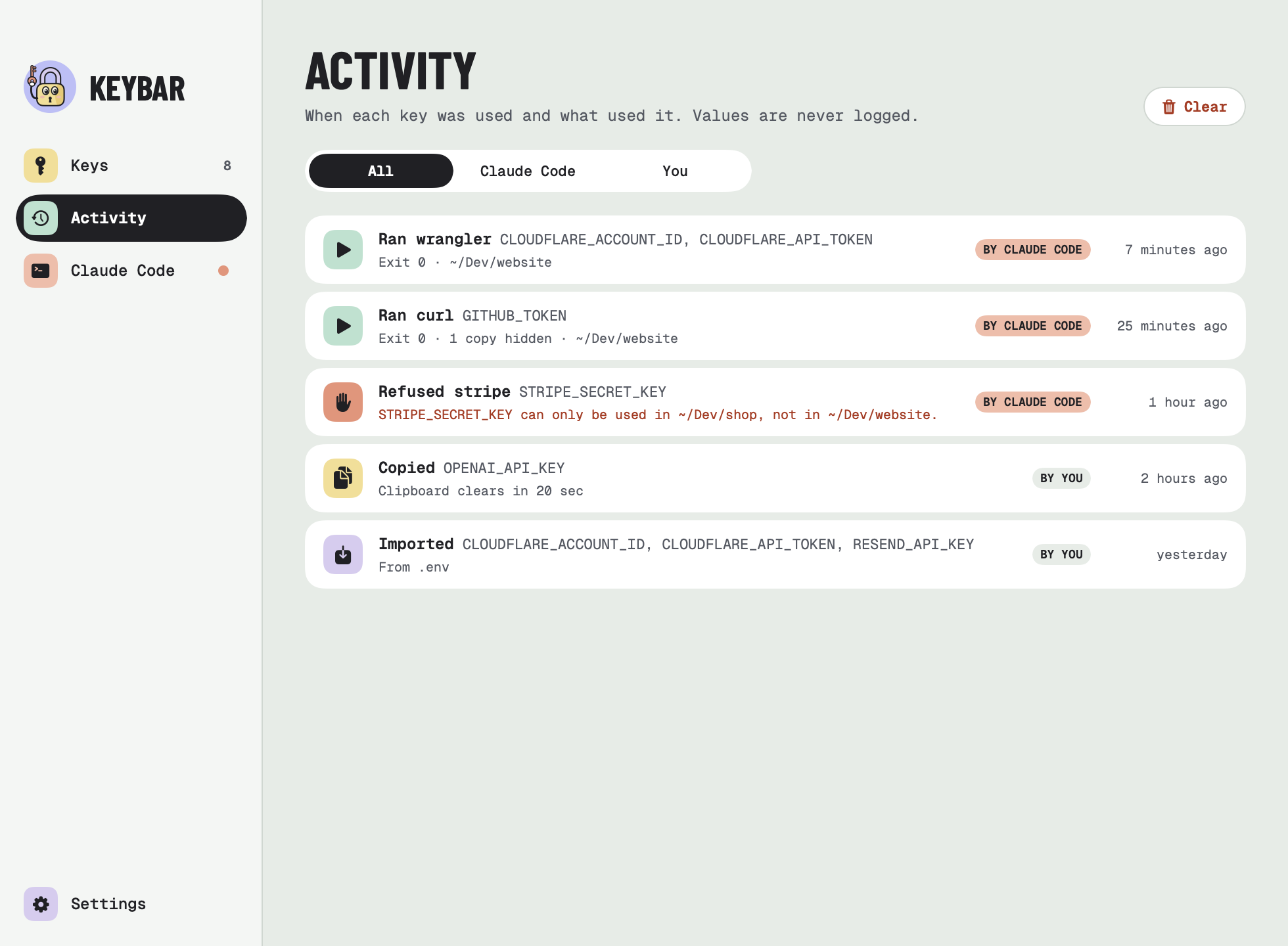
See which key was used, by you or by Claude Code, the program it ran, the folder, the exit code and whether anything was hidden. Refusals are logged with the reason. Values never are.
05
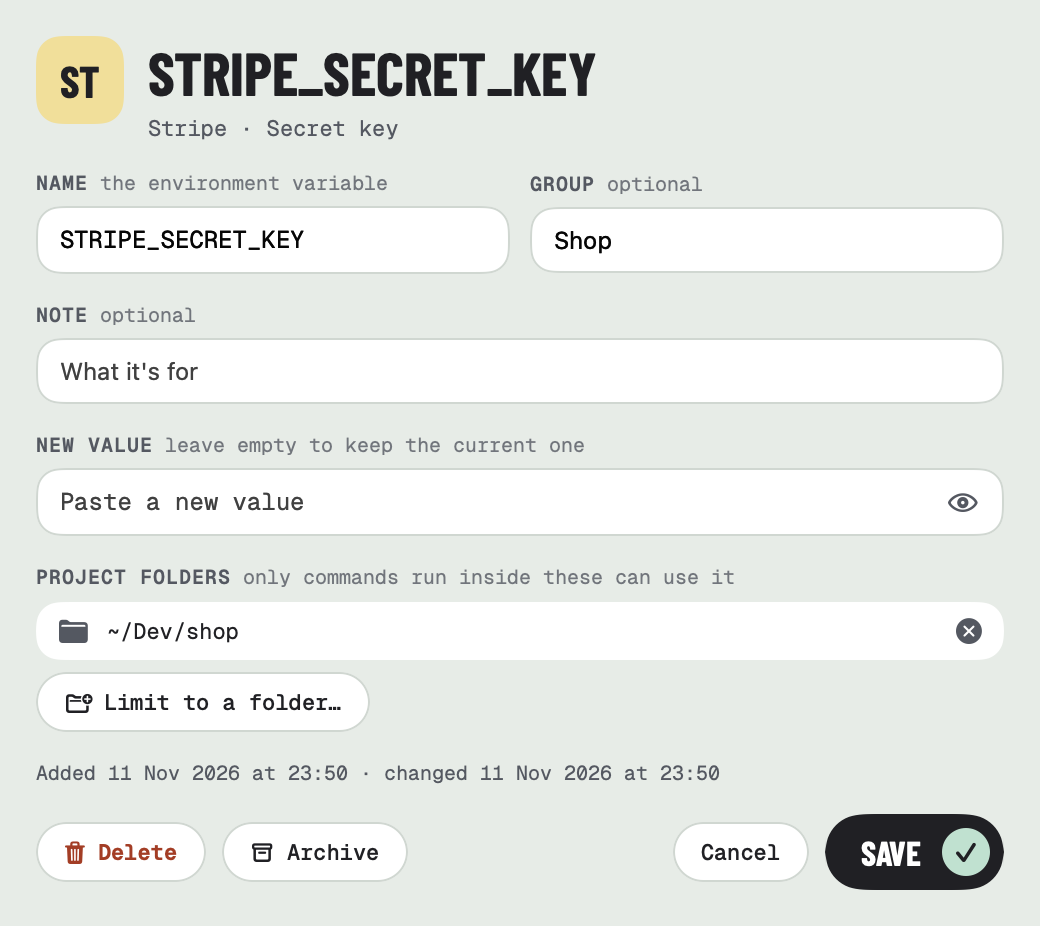
Lock a key to the project folders that need it, and commands anywhere else are refused. A command with a key's actual value pasted into it is refused too, so values stay out of the chat. Not using a key for now? Archive it, and Claude can't see it until you restore it.
06
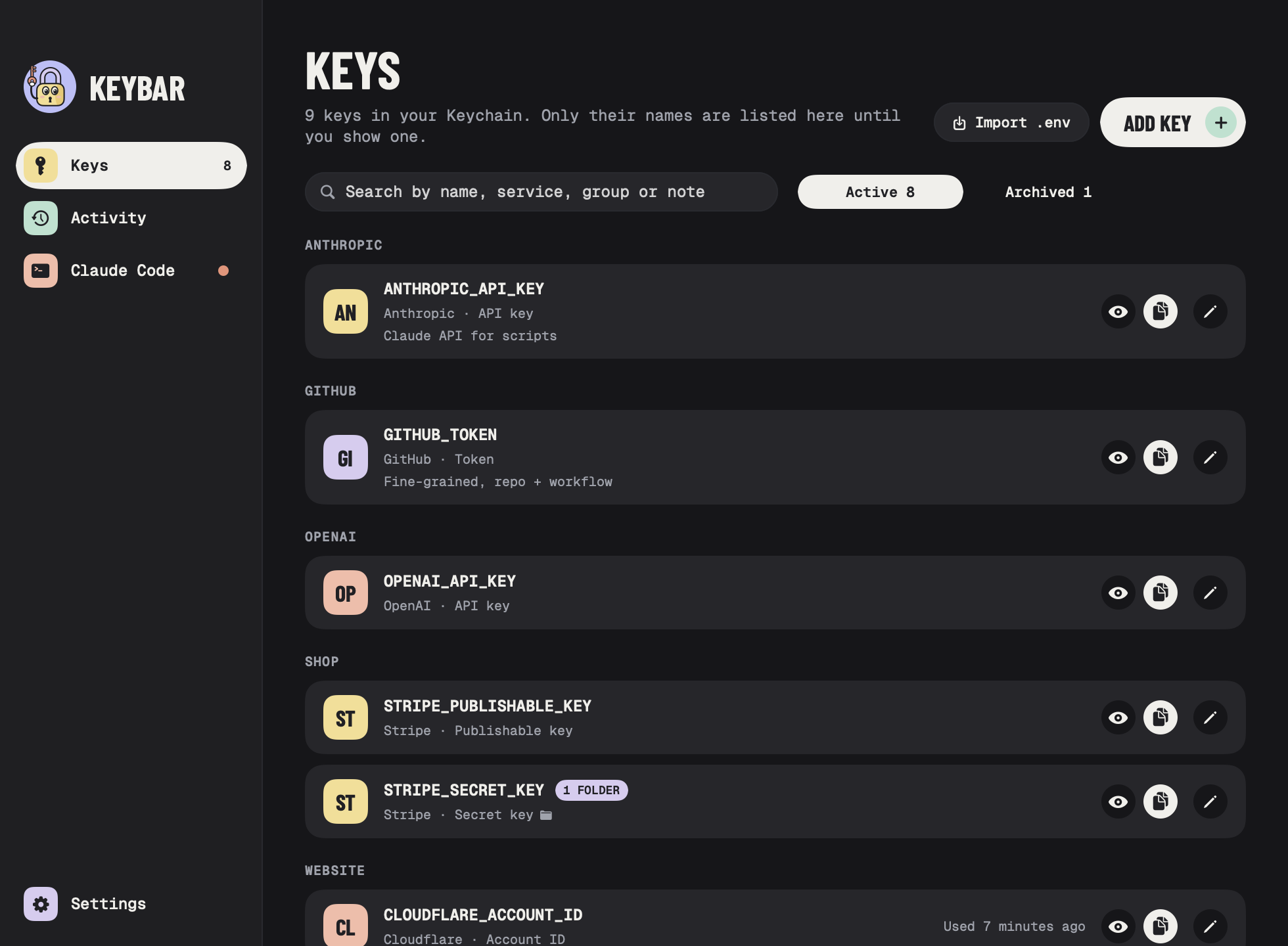
The window gathers every key by service or by your own groups, in your own order, with search across names, services, groups and notes.
And the little things
Small details that make it easy to live with every day.
A copied key is wiped after 20 seconds, or 1 or 2 minutes, and clipboard managers are asked to skip it.
CLOUDFLARE_API_TOKEN shows as Cloudflare's API token, STRIPE_PUBLISHABLE_KEY as Stripe's publishable key. All built in, so nothing goes online to look it up.
A coral dot on the menu bar key tells you when Claude Code isn't connected. You can turn it off.
If KeyBar isn't running when Claude Code needs a key, it starts quietly in the background.
Check for updates in Settings. KeyBar quits, updates through Homebrew and reopens.
Built in SwiftUI with no Electron. Light and dark mode, and a padlock that's always pleased to see you.
Take a look
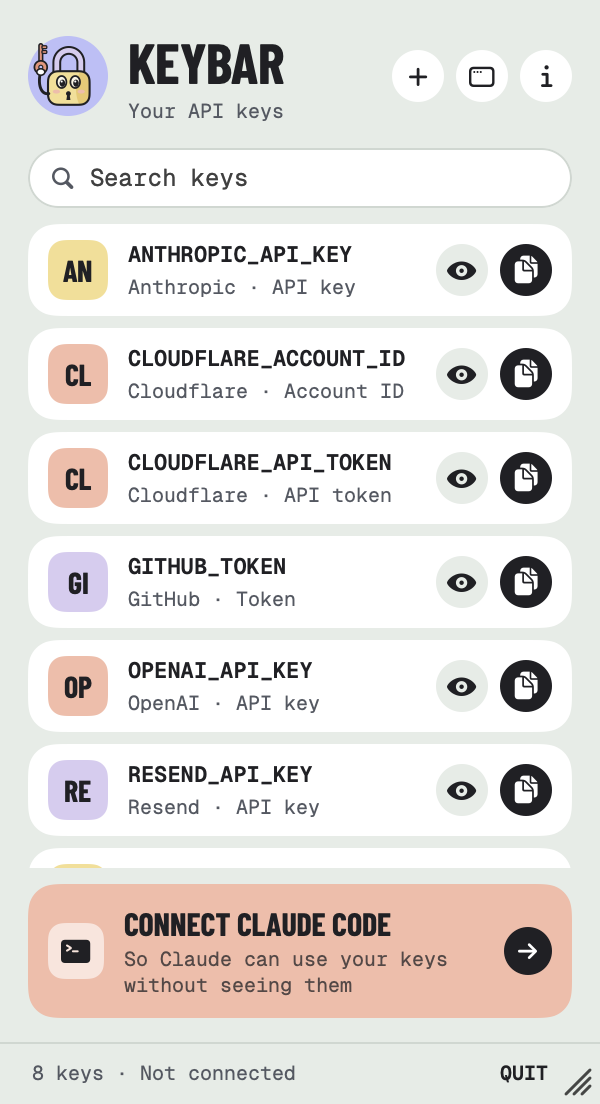
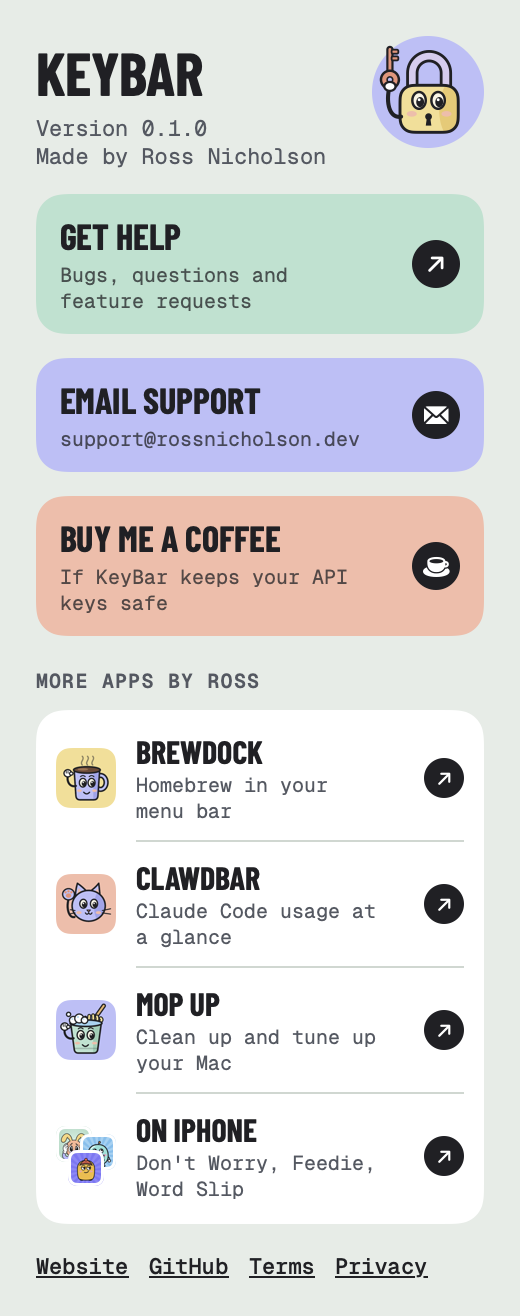
The menu bar panel and the window share the same colourful style, in light and dark.
Private by design
Each key is its own item in your Mac's login Keychain. Values are never written anywhere else, and KeyBar's list holds only names.
KeyBar hands keys only to its own signed helper, the MCP server Claude Code runs, and only for one command at a time. Anything else that asks is turned away.
No analytics, no account and nothing collected. The only time it goes online is to check for updates. It's open source, so you can check.
KeyBar is free. It installs with Homebrew, a free and widely used tool for installing Mac apps and keeping them up to date. You only need to set it up once.
Get Homebrew. Download the installer, open it and click through, like any Mac installer. It asks for your Mac password. Already have Homebrew? Skip to step 2.
Download HomebrewOpen Terminal, an app that comes with every Mac. Press ⌘ Space, type Terminal and press Return. A window with a blinking cursor opens.
Click Copy, paste into Terminal with ⌘ V and press Return. Text scrolls past while Homebrew installs KeyBar. It's done when it stops.
$ brew tap RossNicholson/tap$ brew trust --cask rossnicholson/tap/keybar$ brew install --cask keybar
See command not found: brew? Quit Terminal with ⌘ Q, open it again and paste once more.
Open KeyBar from your Applications folder. If your Mac asks whether you're sure you want to open it, click Open. Add your first key, then go to Claude Code and click Connect Claude Code. New Claude Code sessions can use your keys straight away.
Your Mac checks with you before an app can do certain things. Here's what KeyBar asks for, and what to do.
On an older Homebrew, an error about brew trust is safe to ignore.
KeyBar is free, open source, and signed and notarized by Apple.
Enjoying it? Buy me a coffee ☕ · Need help? Support
Also from me: ClawdBar, your Claude Code limits in the menu bar, and BrewDock, Homebrew in your menu bar
KeyBar is an independent app and isn't affiliated with or endorsed by Anthropic. Claude and Claude Code are trademarks of Anthropic.